
Find that hotel, flight or product you saw last week
Comparing hotels, flights or products means dozens of tabs — and the best one is always the one you closed. How to get it back from your browsing history, even after clearing cookies and history for better prices.
You spent an evening comparing hotels. Three days later you're ready to book — and the one with the rooftop terrace is gone. Same with a jacket, a flight, a laptop configuration. The page you need is the one you closed.
Why these pages disappear
- Lots of similar tabs. You open twenty listings and close nineteen — sometimes the wrong nineteen.
- "Clearing cookies for better prices." Many people clear history and cookies while shopping for flights or hotels. It also wipes the pages they were comparing.
- Different titles than you remember. Listing pages are often titled with an internal name or a property ID, not "that hotel with the terrace".
- Time passes. Trips are planned over weeks or months.
Find it again with Browser History+
Browser History+ keeps its own copy of every page, so clearing Chrome history and cookies doesn't affect it.
Search the place or the store
Type the city, the store or the site: lisbon, booking, ikea. Matches are highlighted in titles and addresses.
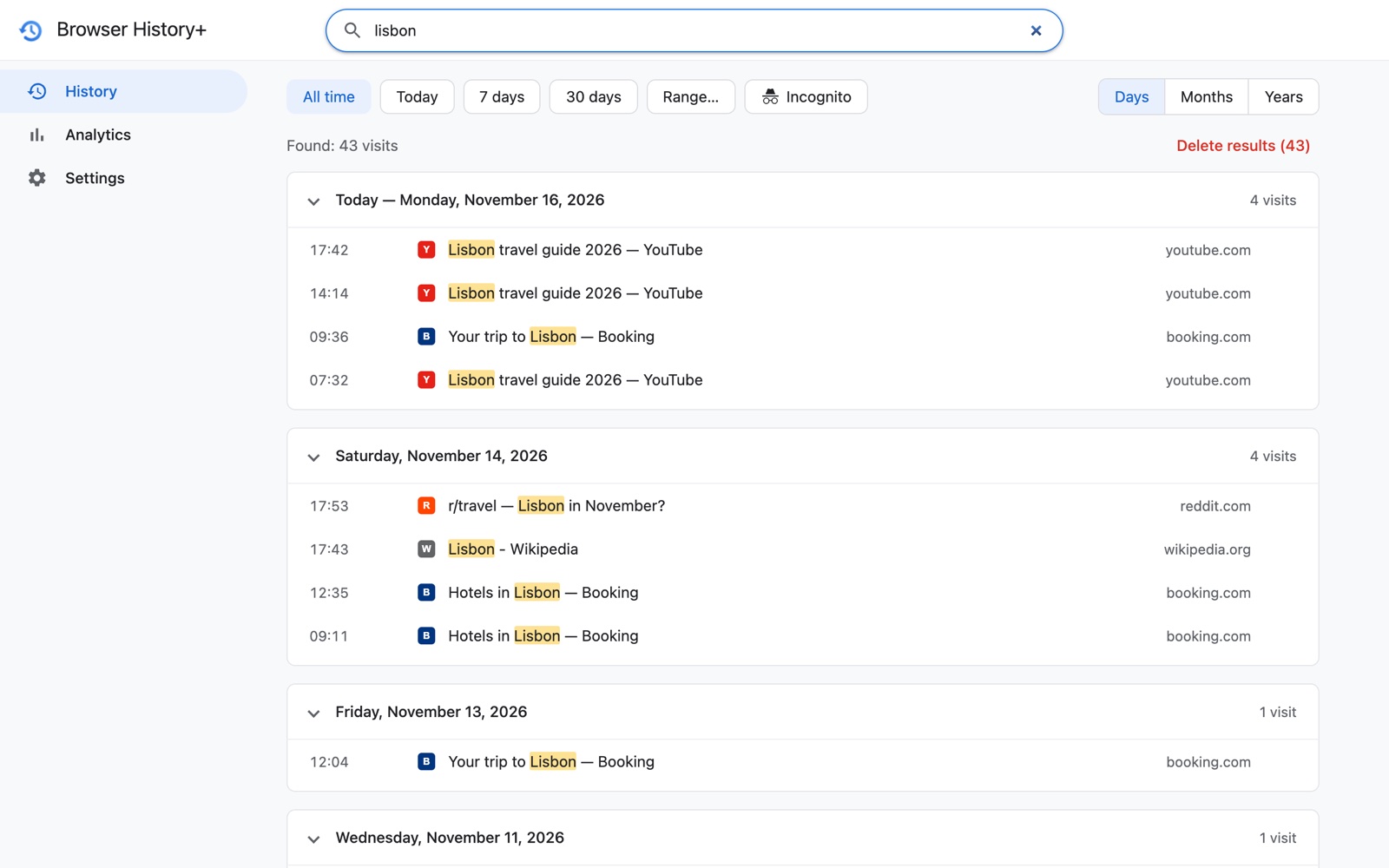
Narrow it to the evening you were looking
Remember it was "Sunday night"? Type the date with a word — 15.11 booking — or use Range… for the whole planning week.
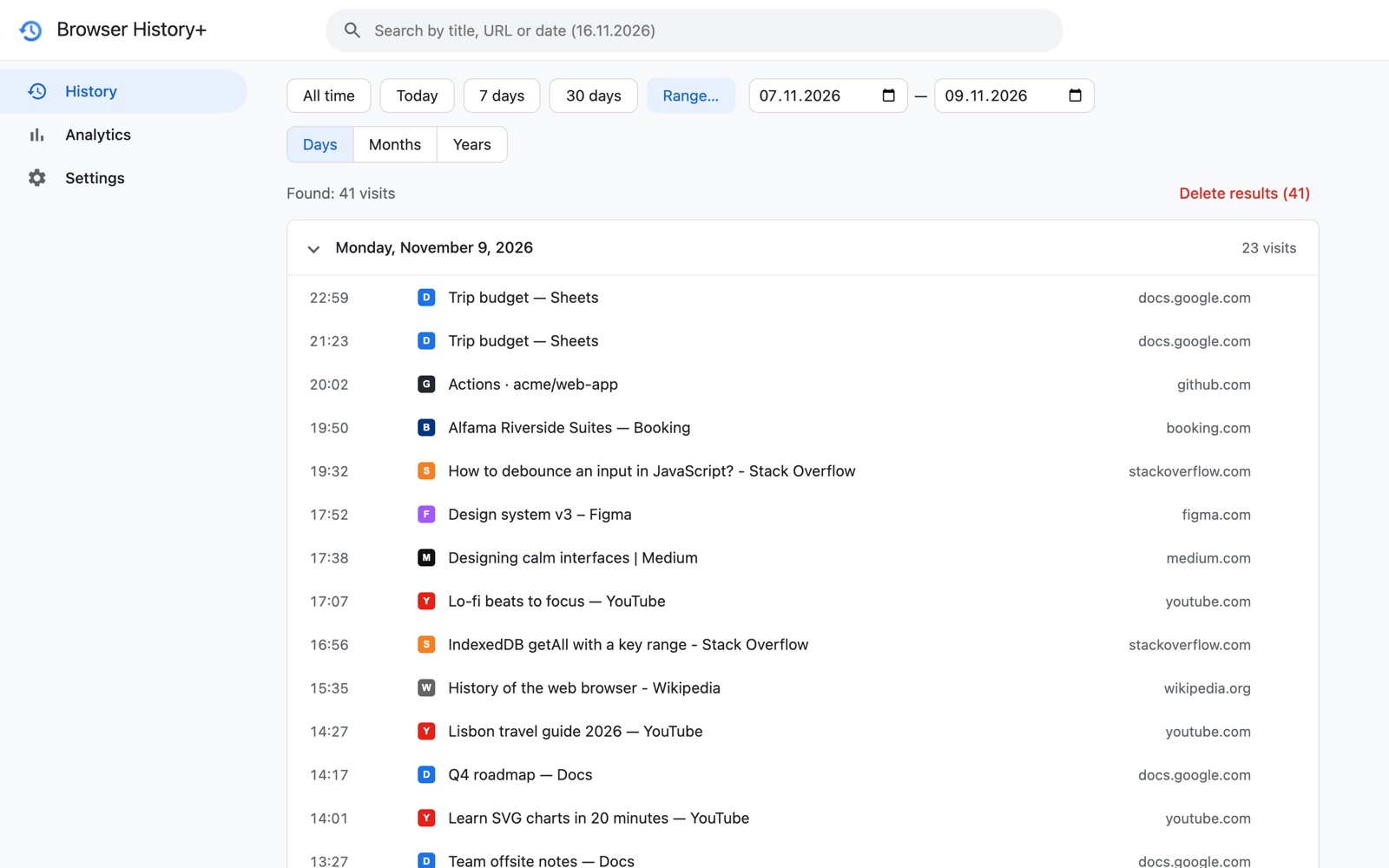
See everything from one site
Click a domain such as booking.com in any row to list every listing you opened there, newest first.
Tips for trip and shopping research
- Don't fear closing tabs. Everything you opened is saved — close freely and search later.
- Clear Chrome history and cookies if you like. Your Browser History+ copy stays.
- Use Incognito for price checks — and keep a record if you want. If you allow the extension in Incognito, those visits are saved too and marked with an Incognito icon; you can filter just them. Turn it off any time in settings. Read what Incognito does and doesn't hide.
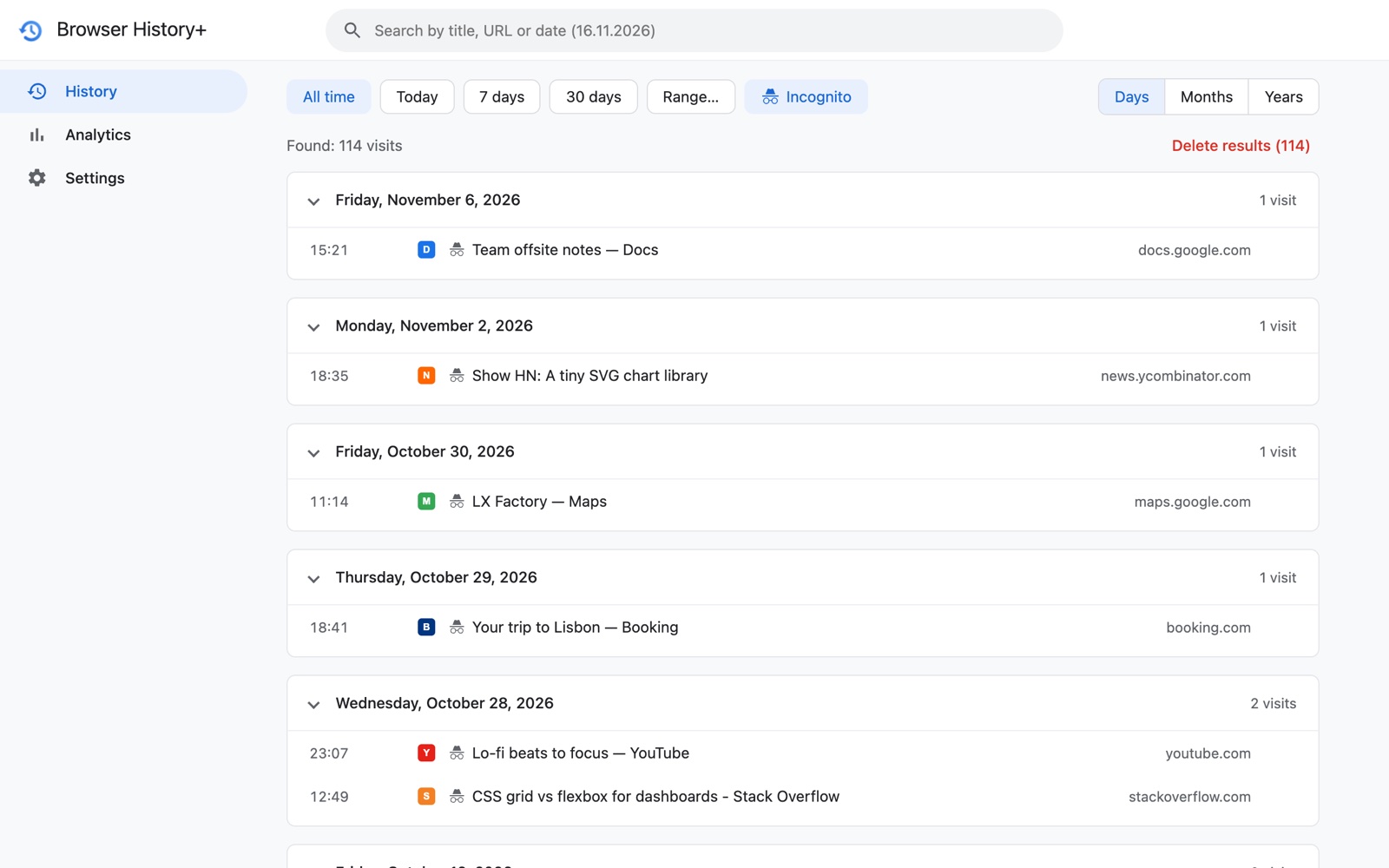
- Share the shortlist. Export your history to CSV and filter by site in a spreadsheet to build a shortlist for your travel partner. See export and backup.
Frequently asked questions
How do I find a hotel I looked at but closed the tab?
Press Ctrl+Shift+T to reopen recently closed tabs, or search your history for the city or booking site. If Chrome history was cleared, Browser History+ still has the page — search the city name or the date you were browsing.
Does clearing cookies and history to get better prices delete the pages I compared?
It deletes them from Chrome's history. Browser History+ keeps a separate copy, so the pages remain searchable.
Can I keep a record of pages I opened in Incognito?
Only if you choose to: allow Browser History+ in Incognito in chrome://extensions. Those visits are then saved locally and marked as Incognito, and you can switch this off in settings.