
How to find a website you visited but forgot the name of
You remember reading it, roughly when, maybe a word or two — but not the site. A step-by-step method to find a forgotten website in your browser history, even weeks later or after history was cleared.
It happens to everyone: a great article, a tool someone recommended, a source for your essay. You know you saw it. You don't know where.
The trick is to stop trying to remember the name and use the clues you actually have. Here's a method that works.
Step 1: Write down what you remember
Even vague memories narrow the search a lot:
- When? "Last Tuesday", "before the holidays", "the week of the conference".
- Any word from the title or the topic: "pricing", "React", "recipe".
- What kind of site? A blog, a forum thread, a PDF, a video.
- Where did you come from? A newsletter, a search, a colleague's link.
Step 2: Search the words you remember
In Chrome, press Ctrl+H (Cmd+Y on a Mac) and type a word. Chrome searches page titles and addresses. If it's there and recent, you're done.
If it isn't, the page may be older than Chrome's ~90-day limit, the history may have been cleared, or the title simply doesn't contain the word you remember. That's where a better history helps.
Step 3: Narrow it down by time
Chrome can't filter by date. Browser History+ can:
- type a date, like
14.11, to see everything from that day; - combine a date with a word:
14.11 react; - or use Range… for "some time that week".
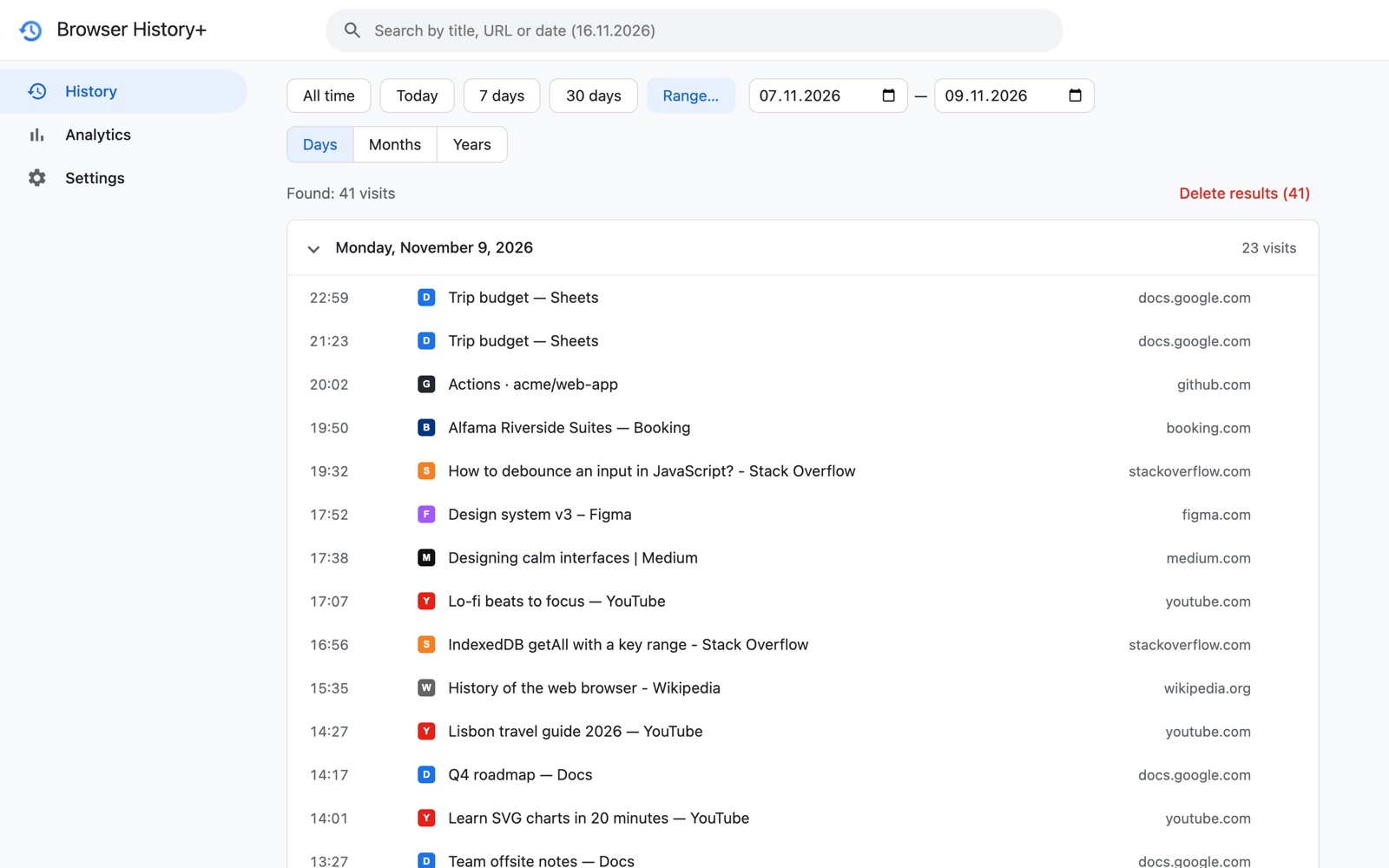
Scanning one or two days of titles is surprisingly quick — you'll often recognize the page when you see it.
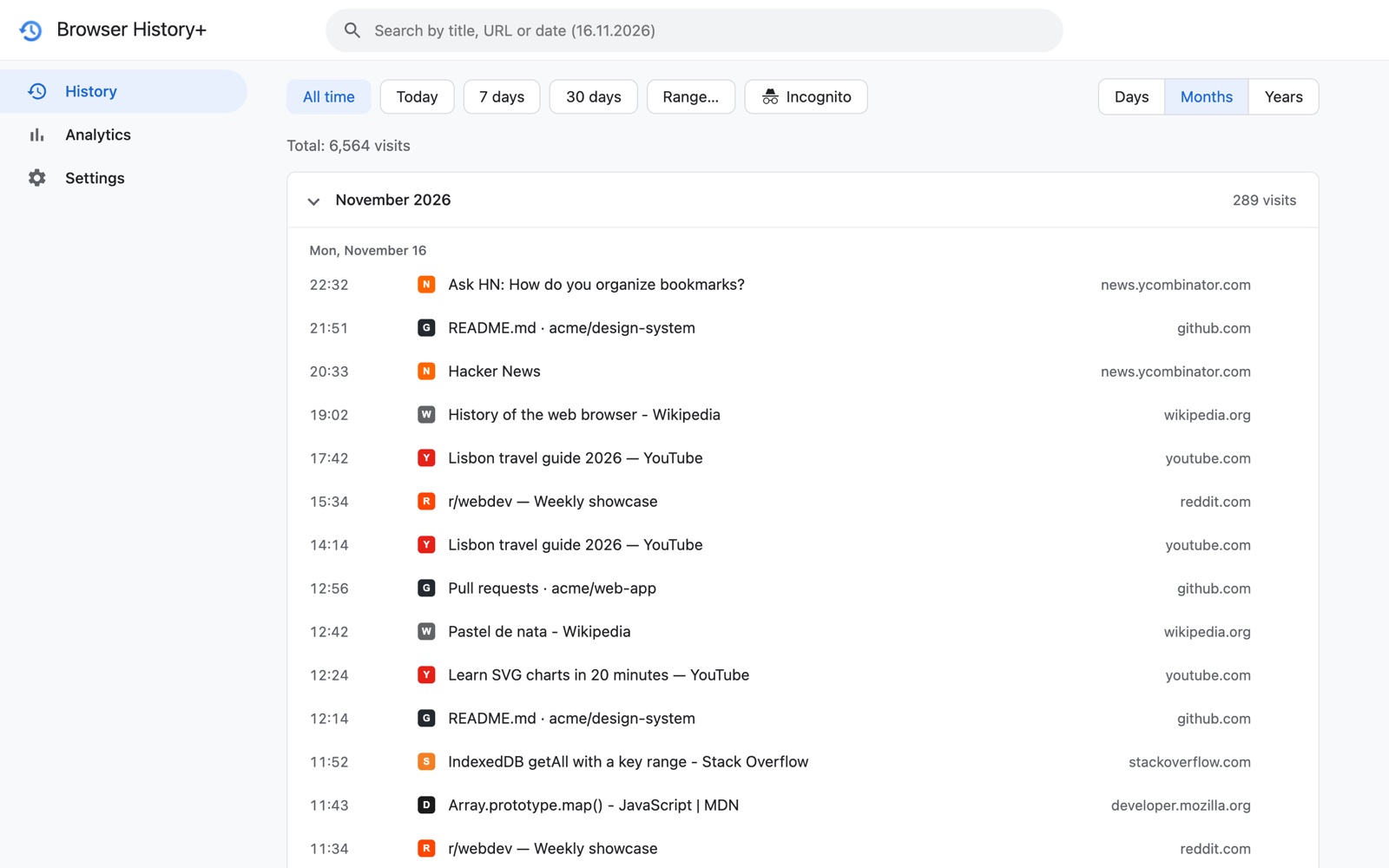
Step 4: Browse by month when you only know "a while ago"
Switch grouping to Months. Each month becomes a collapsible section, so you can open the right month and scan its days without scrolling through everything since.
Step 5: Use the site, not the page
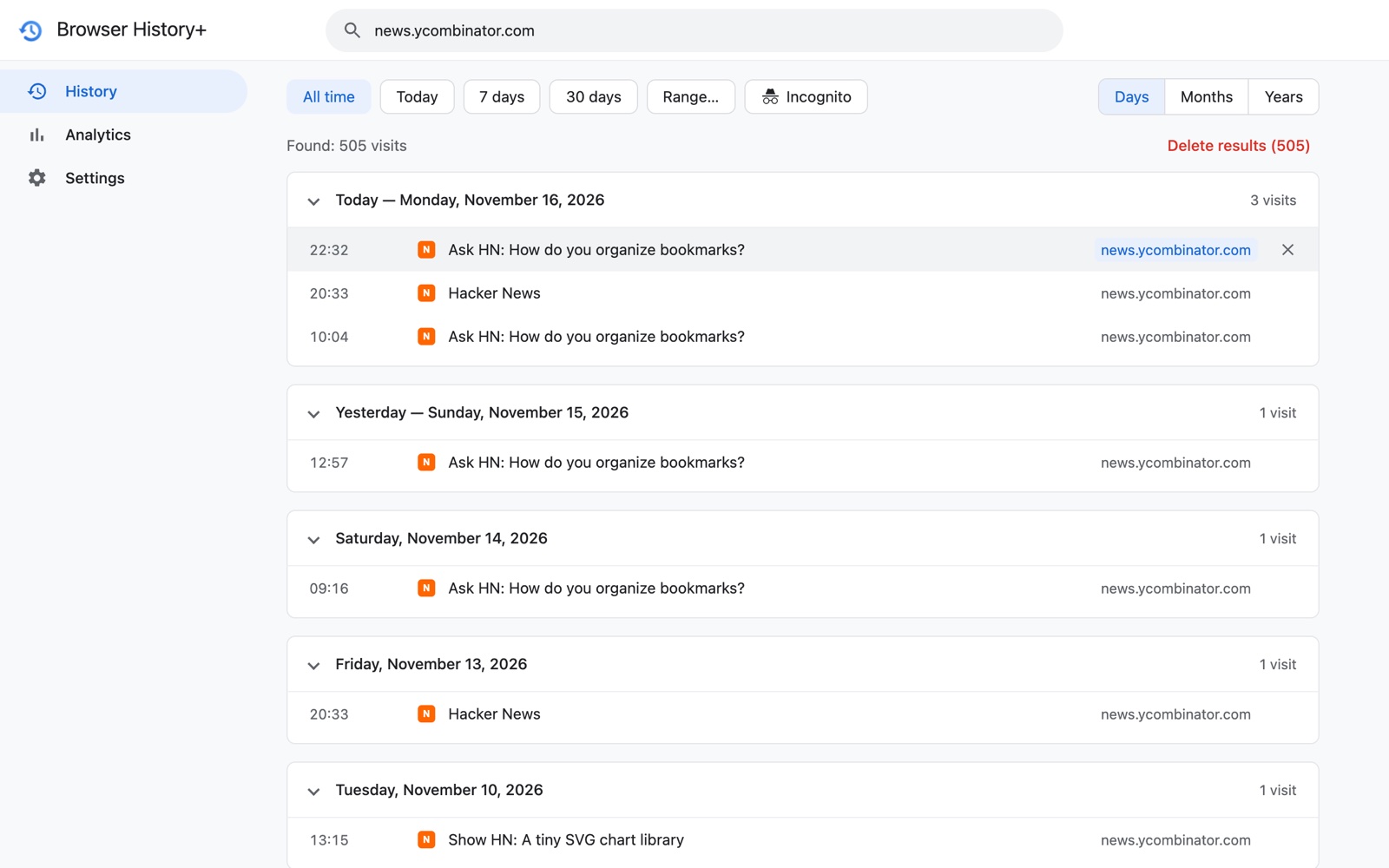
If you remember the site but not the page — "it was on that design blog" — click the domain in any row. You get every visit to that site, across all time.
Step 6: Let your top sites jog your memory
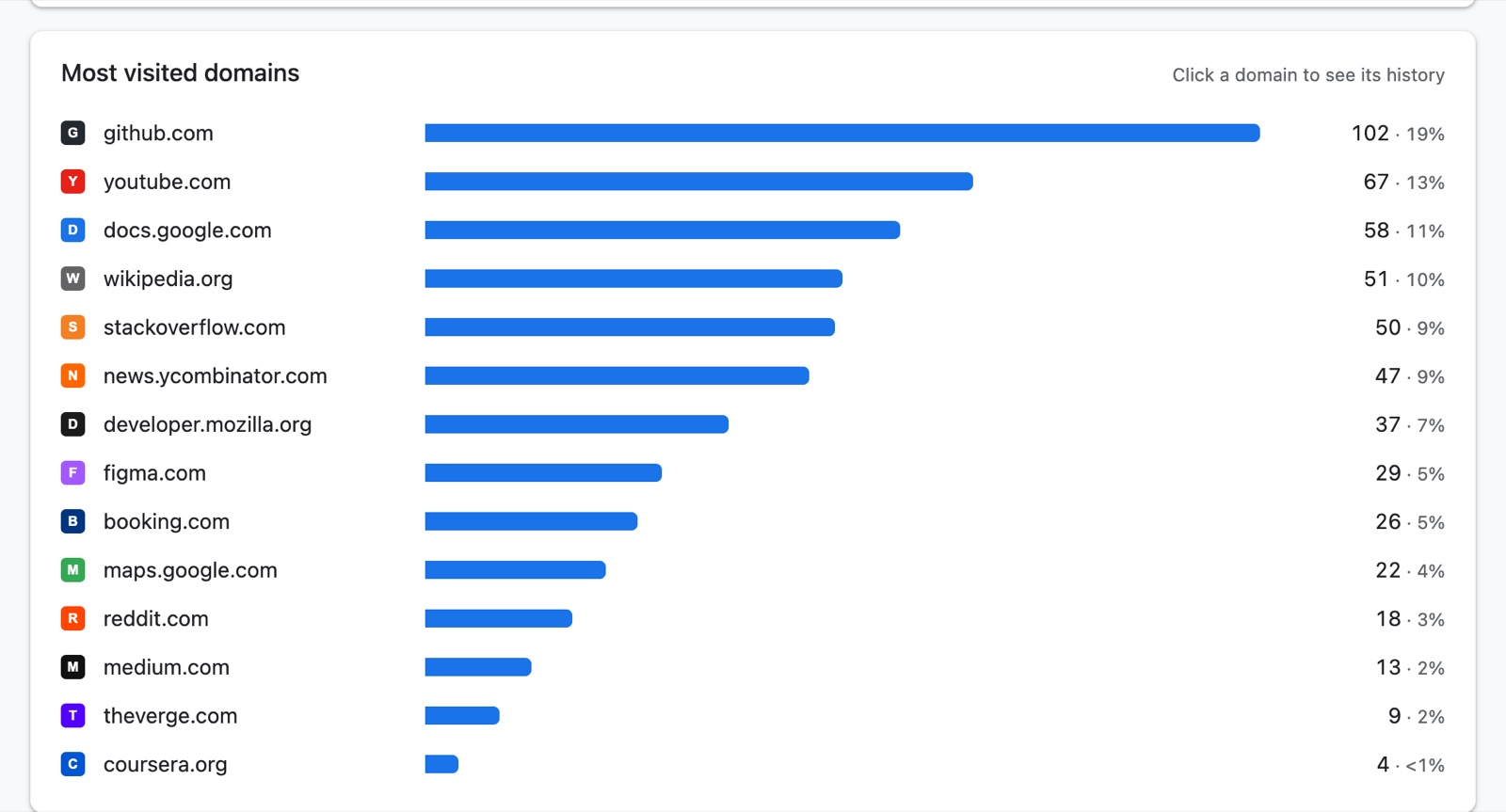
Can't remember the site at all? Open Analytics → Most visited domains for the period. A list of the sites you used most that month is often enough to make you say "that's it".
If you didn't have Browser History+ yet
Try Google My Activity if Web & App Activity included Chrome history, check other synced devices, and look through email and chat for shared links. Our guide on recovering deleted Chrome history covers every method.
Make it easy next time
The best moment to install a history tool is before you need it. Browser History+ keeps every page you open, privately on your device, without a time limit — so the next "where did I see that?" takes seconds.
Frequently asked questions
How do I find a website I visited last week but can't remember?
Search your history for any word you remember, then narrow by date. With Browser History+ you can type the date (for example 14.11) or a date range and scan that day's page titles, or click a site to see all its visits.
Can I search my browsing history by date?
Chrome's History page can't filter by date. Google My Activity has a date filter if it was enabled, and Browser History+ lets you type a date or pick a range.
What if the page is older than 90 days?
Chrome deletes history older than about 90 days. Browser History+ keeps its own copy without a time limit, so older pages stay searchable from the day it was installed.