
Why Browser History+? An honest comparison
Chrome already has a History page, and Google can keep your activity. So why install anything? Here's a side-by-side comparison — including where the other options are the better choice.
The short version
Most people never think about browser history until the moment they need one page they saw last week — and it isn't there. It was cleared by a cleanup tool, a "clear on exit" setting, someone else using the computer, or simply by Chrome's 90-day limit.
Browser History+ exists for that moment. It quietly saves every page you open into its own private copy, and nothing that happens to Chrome's history touches it.
Side-by-side comparison
| Chrome history | Google My Activity | Browser History+ | |
|---|---|---|---|
| Survives "Clear browsing data" | No | Depends on your sync settings | Yes — it's a separate copy |
| How long history is kept | About 90 days | 3, 18 or 36 months, or until you delete it | Until you delete it — no limit |
| Where your history is stored | Your device (and synced devices) | Google's servers, in your account | Only your device |
| Needs a Google account or sync | No | Yes — sync and Web & App Activity on | No |
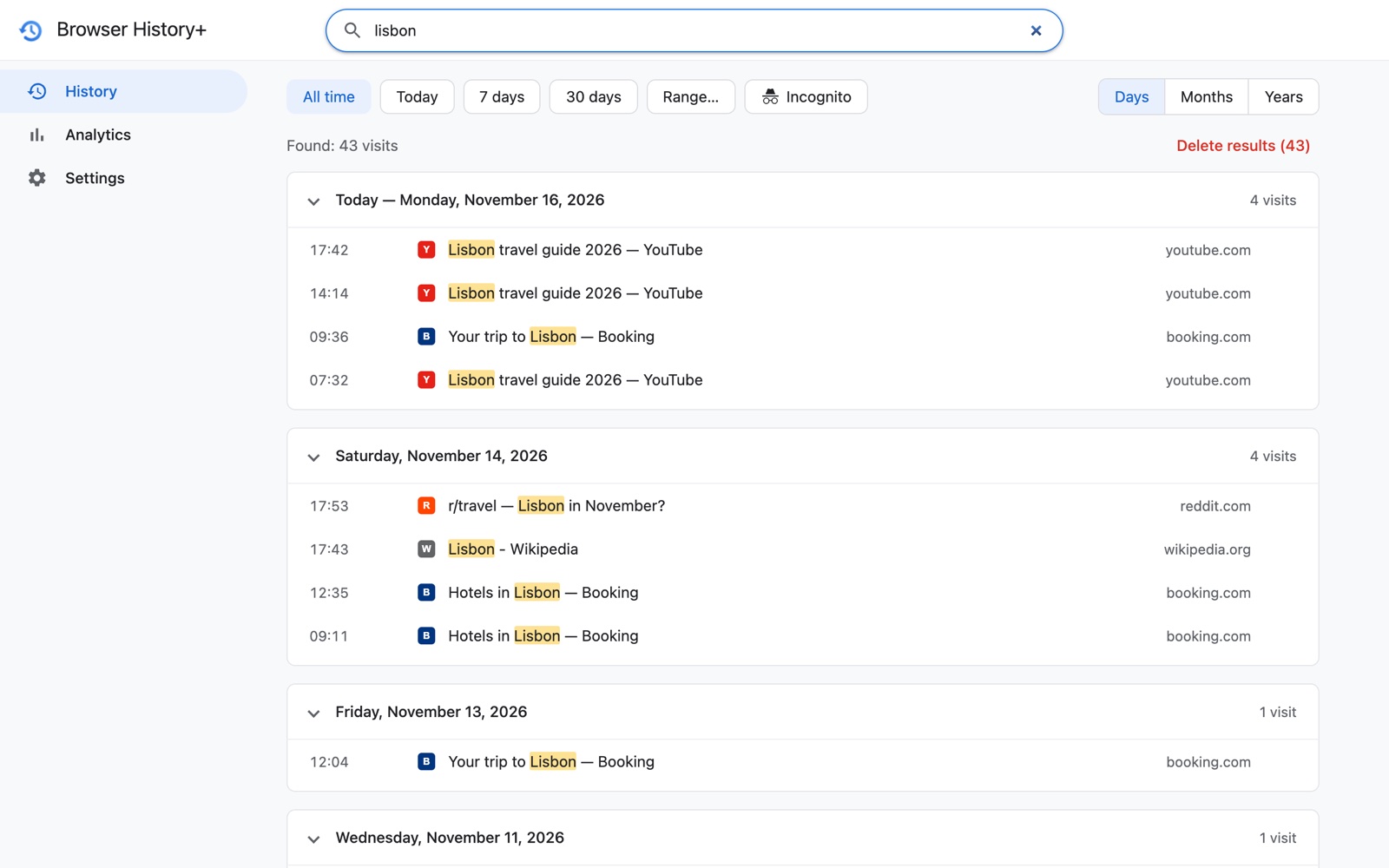
| Search by title or address | Yes | Yes | Yes, with highlighted matches |
| Find a specific day | Scroll down to it | Date filter | Type a date (16.11.2026) or pick a range |
| Group by month or year | No | No | Yes |
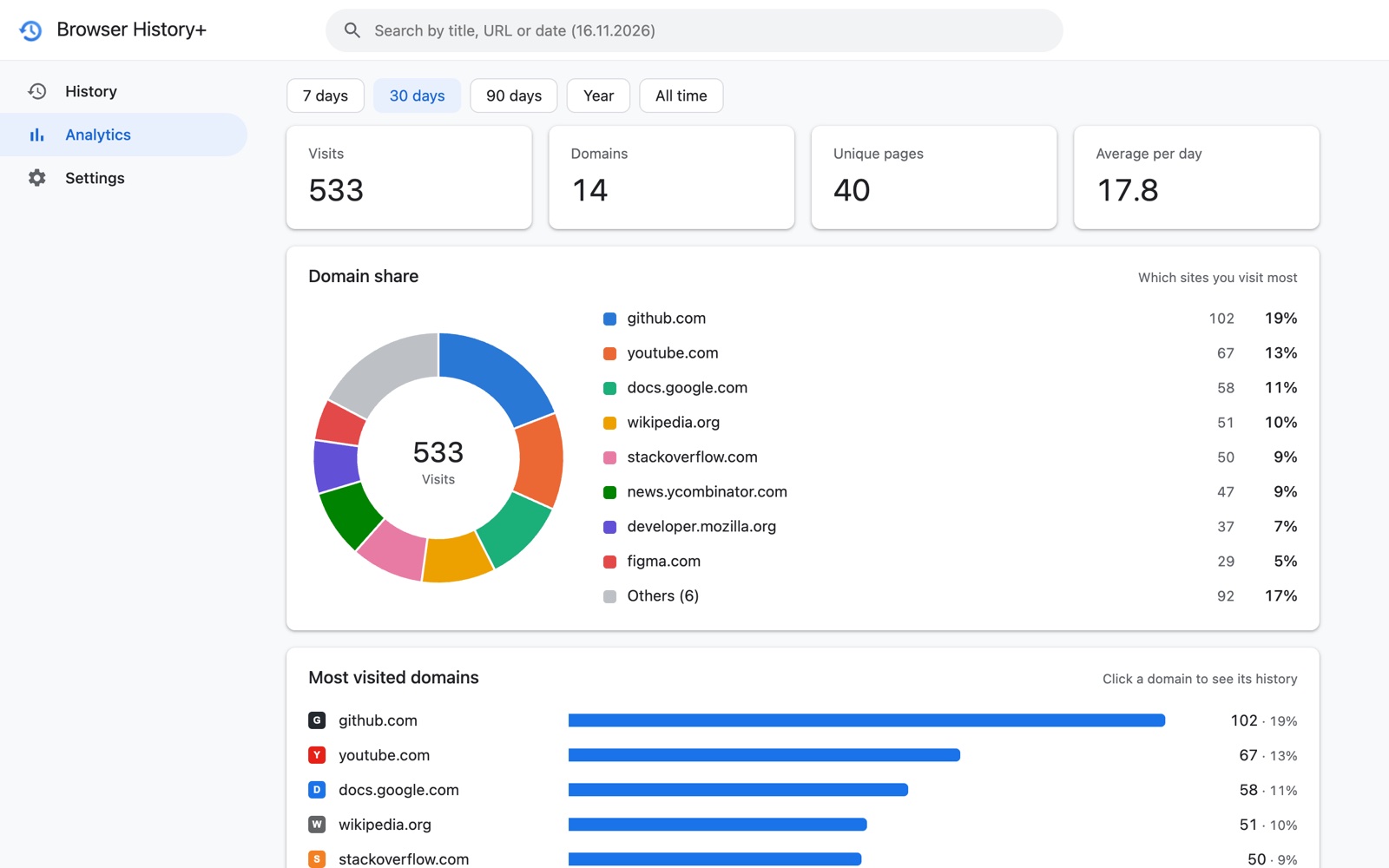
| Statistics and charts | No | No | Top sites, domain share, activity by day and hour |
| Password protection | No | Google sign-in (optional extra verification) | Password with hint and auto-lock |
| Incognito visits | Never saved | Never saved | Optional — only if you allow it |
| Export | No built-in export | Google Takeout (JSON) | One click: JSON or CSV |
| Log of deletions | No | No | Yes — date, time and count |
| Works offline | Yes | No | Yes |
| Price | Free | Free | Free |
When Chrome's own history is enough
If you rarely need anything older than a few days, never clear your history, and nobody else uses your computer, Chrome's History page (Ctrl+H, or Cmd+Y on a Mac) does the job. It's fast, built in and needs nothing installed.
When Google My Activity is the better choice
My Activity shines when you need history across devices, including your phone: Chrome on Android and iPhone doesn't support extensions, so Browser History+ can't record mobile browsing. If you're comfortable with Google storing your activity in your account, turn on Web & App Activity with Chrome history and use myactivity.google.com.
When Browser History+ is the right tool
- You clear your history — or something clears it for you. Cleanup apps, privacy settings and "clear on exit" wipe Chrome's history; your Browser History+ copy stays. See how to recover deleted Chrome history.
- You need things from more than three months ago. Chrome deletes older entries automatically; Browser History+ has no 90-day limit.
- You remember when, not what. Type a date, pick a range, or browse by month. See searching history by date.
- You don't want your browsing on anyone's servers. Everything stays in your browser — no account, no sync, no analytics.
- Other people use your computer. Lock the copy with a password and auto-lock, and see in the deletion log if anything was deleted.
- You want to understand your habits. Analytics show your top sites and when you're most active.
- You want your data in your own files. Export to JSON or CSV whenever you like.
Can I use them together?
Yes, and many people should. Browser History+ doesn't change or replace Chrome's history — it adds an independent copy. Keep using Ctrl+H for quick lookups, use My Activity for your phone if you want, and rely on Browser History+ when Chrome's history has been cleared or is too short.
Privacy, compared
- Chrome history stays on your device, but anyone using your profile can open it, and it syncs to your other devices if sync is on.
- Google My Activity is stored in your Google Account on Google's servers, protected by your Google sign-in.
- Browser History+ stores everything locally in IndexedDB inside your browser profile. It has no servers, no accounts, no analytics and no ads; it needs no access to the content of websites. Details: privacy policy and is a history extension safe?
What Browser History+ doesn't do
Being clear about limits helps you decide:
- It records visits from the moment it's installed. Earlier history comes only from the one-time import of what Chrome still has (usually about 90 days).
- It doesn't sync between computers — by design. Move it with a JSON backup.
- It doesn't work on phones: Chrome mobile doesn't support extensions.
- Analytics count visits, not time spent on a page.
- A forgotten password can't be recovered.
Frequently asked questions
Is Browser History+ better than Chrome history?
It does a different job. Chrome history is cleared easily and keeps about 90 days. Browser History+ keeps an independent copy on your device with no time limit that survives clearing, and adds date search, analytics, a password and export. You can use both.
Is Browser History+ an alternative to Google My Activity?
For desktop Chrome, yes — without storing your browsing on Google's servers and without needing sync. For phone browsing, My Activity is still the option, because Chrome mobile doesn't support extensions.
Does Browser History+ replace or change Chrome's history?
No. It never modifies Chrome's history. It keeps its own separate copy.
Is it free?
Yes. Browser History+ is free, with no ads and no paid tier.